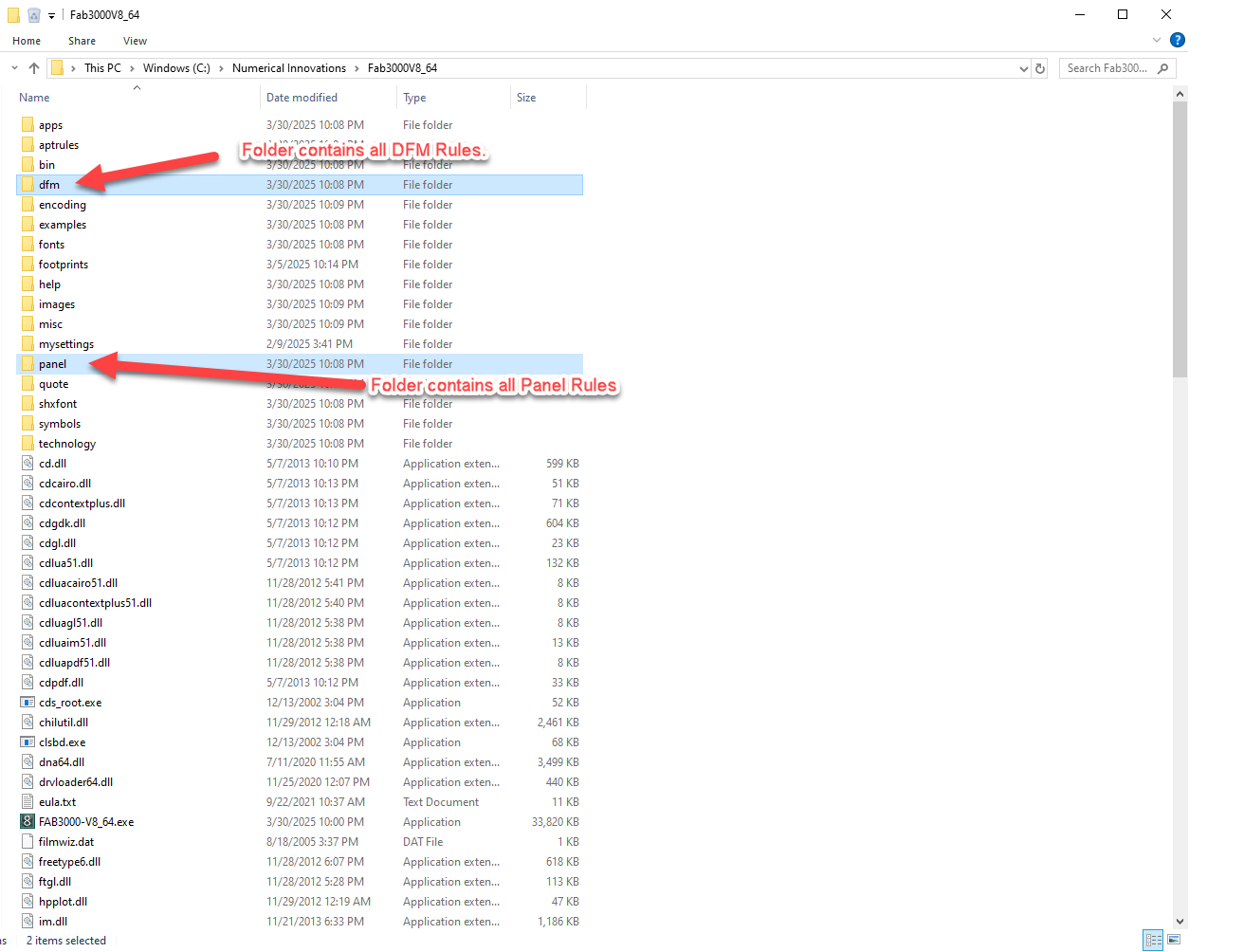
- Every DFM and Panel configuration files are stored in FAB3000's home folder typically for Windows, C:\Numerical Innovations\Fab3000V8_64
- Copy/Overwrite the following two sub-folders on your new computer (or colleagues) and you will have all those saved DFM Rules and Panel Setup available.
- dfm - Contains all DFM Rule files (*.drf)
- panel - Contains all Panel setup files (*.pan)
(Sample screen capture using Windows file explorer to display FAB3000 home folder).
Was this article helpful?
That’s Great!
Thank you for your feedback
Sorry! We couldn't be helpful
Thank you for your feedback
Feedback sent
We appreciate your effort and will try to fix the article