After performing a DFM Check, you can create a PDF report by performing the following:
- Go to menu: Info > Generate PDF Error Report...
- Select the specific DFM Error List (if more than 1 DFM Check was performed).
- Review the options for Units and DFM Error Count (to include in PDF)
- Press Next to create the PDF
- View resulting PDF (in any PDF Viewer).
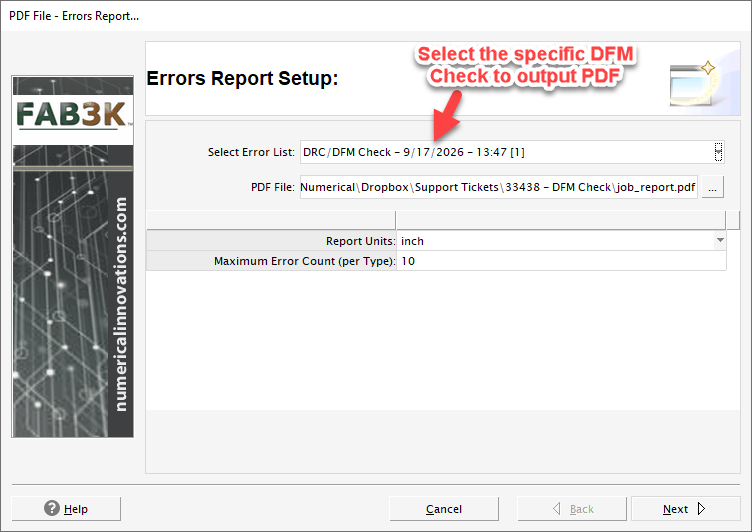
Here's a tutorial showing how to create a PDF file for DRC/DFM violations:
Was this article helpful?
That’s Great!
Thank you for your feedback
Sorry! We couldn't be helpful
Thank you for your feedback
Feedback sent
We appreciate your effort and will try to fix the article