When I run a basic DFM analysis in FAB3000, the resulting report defaults to mils. How do I change the DFM Check results to Millimeter?
---
DFM Check Units are defined inside the DFM Rules. Whatever units are assigned to the DFM Rule will be used in the resulting Reports.
To change the Units,
- Go to menu: Tools > DFM > DFM Rules...,
- Select the DFM Rules file you wish to use.
- Assign the Units. (See below)
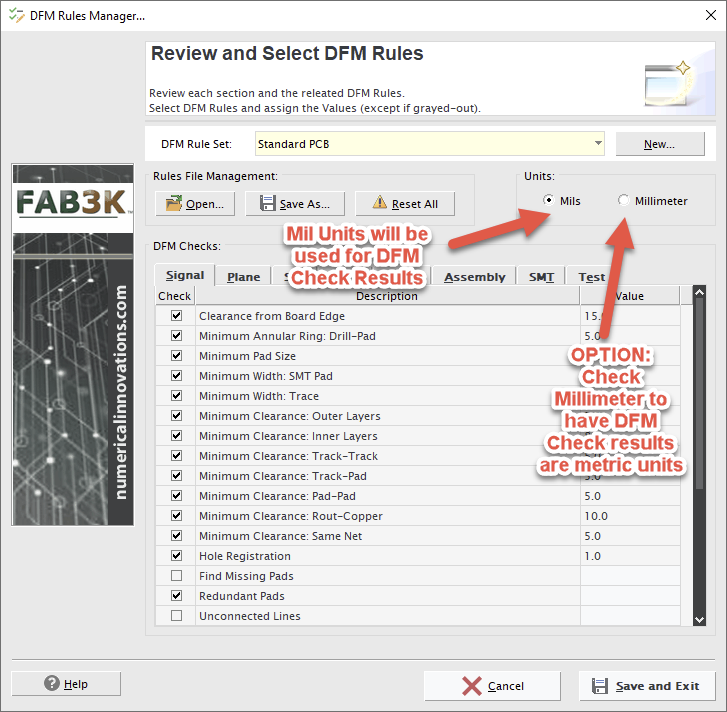
Suggestion: You can create separate DFM Rule file with Millimeter units - to ensure all results will be output as millimeter.
Tutorial (no sound):
Here's a quick tutorial video showing the different DFM Check results - (based on the DFM Rule Units selected)
Was this article helpful?
That’s Great!
Thank you for your feedback
Sorry! We couldn't be helpful
Thank you for your feedback
Feedback sent
We appreciate your effort and will try to fix the article