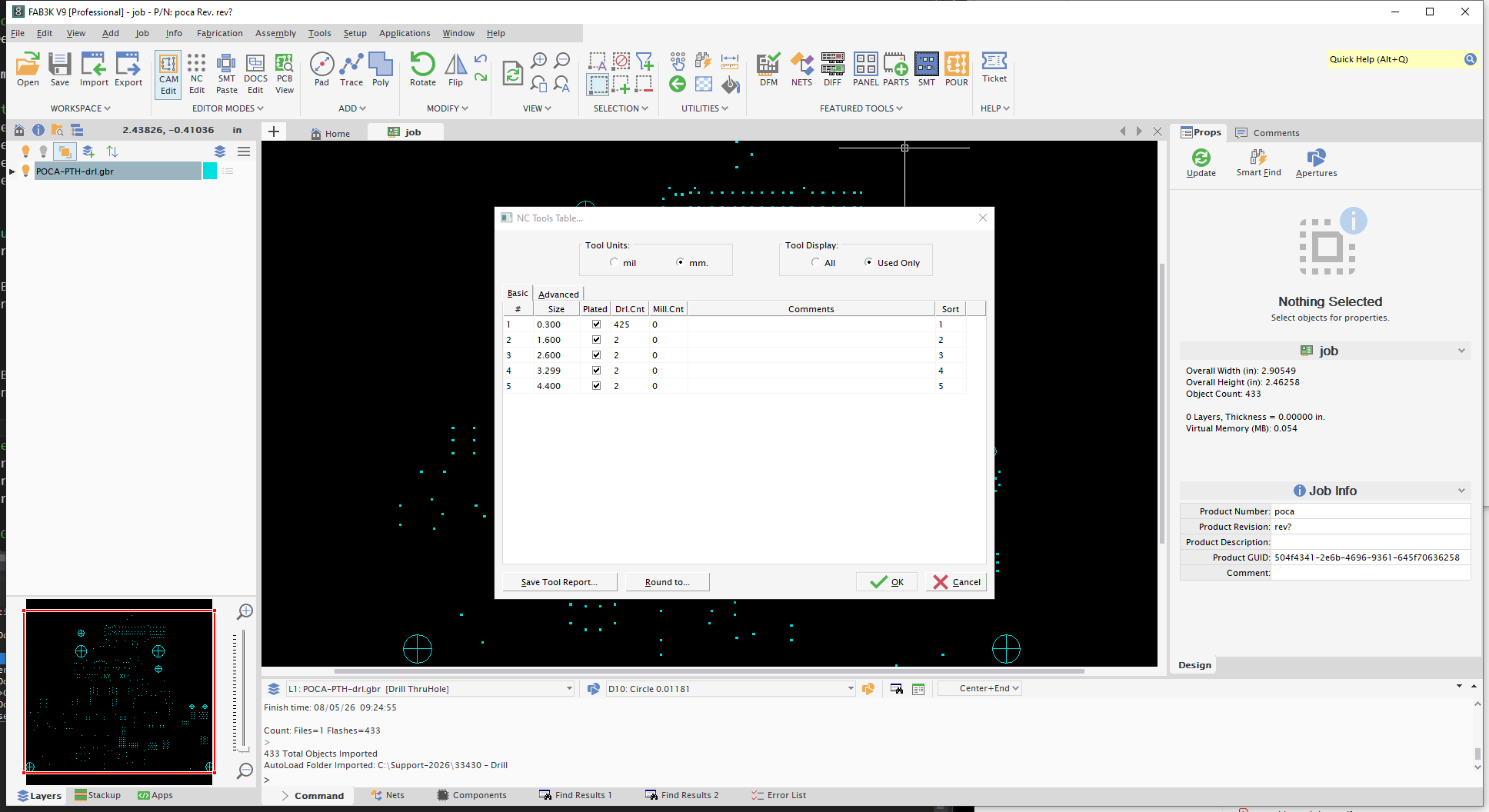
"Hi, I am loading a thro/plated drill file in Gerber format but the the NC tools is showing two holes as non plated. I have attached the drill file concerned plus a print showing clearly the holes connected to the plane, and a screen dump of the NC tools table showing these holes as non plated. I would be grateful if you could explain why this is happening? "
Here's why those drills were assigned as non-plated.
In most gerber jobs sent to manufacturing, a single drill file would be included that contained both Plated and Non-Plated Drills - without any callout or reference as to which drills were plated (vs non-plated).
To properly perform CAM features (like Netlist extraction, etc) FAB3000 would need to separate which drills were plated vs non-plated; thus any tool diameter larger that 3mm would be considered a non-plated how (which has worked fine for years).
Nowadays with NC Drill information being specifically defined inside the newer Gerber formats (no nc drill file separation needed) - FAB 3000 V9 will not attempt to determine whether plated or non-plated.
To resolve the issue for documentation, please check both drills as "Plated" (in the NC Tools table) and the documentation should output correctly.
Here's a screen capture of your sample gerber file imported into FAB V9.
Was this article helpful?
That’s Great!
Thank you for your feedback
Sorry! We couldn't be helpful
Thank you for your feedback
Feedback sent
We appreciate your effort and will try to fix the article